Lite and Pro plans: what is included and how to choose
In short
- Free covers essential tools to get started, Lite adds community access, and Pro gives full access to all tools.
- The Pricing page lists each plan section by section, and badges show whether access is full or limited.
- If you renew early, the remaining days are kept and added to your new period.
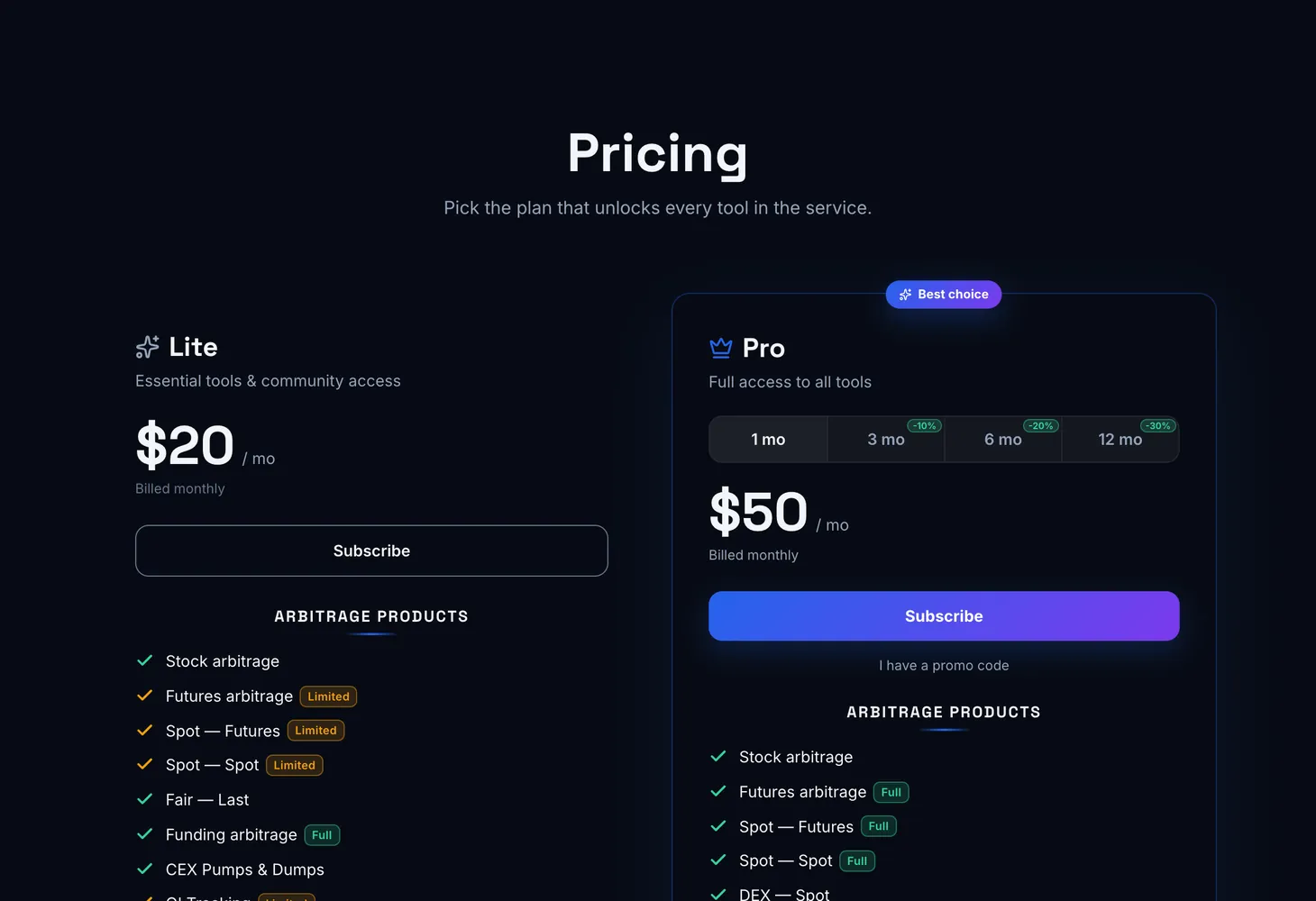
Genesis Arbitrage has three plans: Free with essential tools to get started, Lite with essential tools and community access, and Pro with full access to all tools. The Pricing page compares them section by section. This guide shows how to read that comparison, how to pick a plan for what you actually do, and how to renew without losing days.
The three plans at a glance
| Plan | What it is |
|---|---|
| Free | Essential tools to get started. Forever free |
| Lite | Essential tools and community access. Billed monthly |
| Pro | Full access to all tools |
Prices are listed on the Pricing page in dollars per month. When a plan is paid for several months at once, the total for the period is shown under the price. One of the plans carries the Best choice badge.
How the comparison on the Pricing page is organized
Plan features are grouped into the same sections as the site menu, so it is easy to see which plan unlocks the tool you need.
| Comparison section | What it lists |
|---|---|
| Arbitrage products | Spot – Spot, Spot – Futures, Futures arbitrage, DEX – Spot, DEX – Futures, Cross-chain, Fair – Last, Funding arbitrage, Stock arbitrage, CEX Pumps & Dumps, OI Tracking, DEX Dumps, Spread calculator, Exchange Balances, Coin search |
| Genesis OnChain | Dashboard, Analytics and DEX Overview, plus on-chain data: large transfers, Perp. DEX positions, unlocks and claims, mint and bridge, CEX deposits and withdrawals, team transfers, hacks and exploits, DEX swaps, coin traffic |
| Prediction Markets | Prediction arbitrage, Copy-trading, Analytics, Smart money |
| Genesis AI+ | Arbitrage and Analytics |
| Charts | TradingView and Genesis Charts |
| Notifications | Sound notifications, Telegram notifications and Pushover notifications |
| News / Listings | News and listings |
| Private Community | Private chat access, community tools and community signals |
| Extras | Learning materials, access to exclusive tools, 24/7 personal support |
Access badges in the comparison
The same feature can be part of different plans to a different extent. Badges next to the feature name show how much you get:
- Limited and Full: the feature is available in part or in full. Prediction arbitrage, sound notifications and learning materials are marked this way.
- 5 CEX and 17+ CEX: how many centralized exchanges feed the Spot – Spot, Spot – Futures and Futures arbitrage tables.
- CEX, DEX and CEX + DEX: which venues Coin search covers.
- TradingView, Genesis Charts and TradingView + Genesis Charts: which charts you can open.
How to choose a plan
Start in free mode
Open any table, for example Spot – Spot, and get used to the columns. The Free plan is enough for that and costs nothing.
Decide which tools you need
List the sections you plan to work with: exchange tables only, or also DEX, on-chain data, prediction markets and Genesis AI+.
Check them against the comparison
Find those sections on the Pricing page and look at the badges: full or limited access, how many exchanges, which charts.
Subscribe
Sign in and click Subscribe under the plan you chose. The payment flow is covered in Paying for and renewing a plan.
Renewing a subscription
Before your subscription ends, the service shows reminders: a week ahead, two days ahead and on the last day. Each has a Renew subscription button.
- You can renew early. The remaining days are kept and added to your new period.
- Renewal discount. If one applies to you, the reminder shows its size and it is applied automatically at checkout.
- If you do not renew. The day after the subscription ends, access to paid tools closes. On the Pro plan your personal bot is unlinked as well.
What you get without a plan
Product descriptions, the learning section and this guide are open to everyone. In free mode the tables show some of the exchanges, and all 17+ CEX unlock with the Lite and Pro plans.
Lite and Pro badges next to menu items show the plan a tool starts from. The menu itself is explained in First steps, and the features shared by all tables in How to use the spread tables.
Questions and answers
Can I use Genesis Arbitrage for free?
Yes. The Free plan is free forever and includes essential tools to get started. In free mode the tables show some of the exchanges.
How is Lite different from Pro?
Lite is essential tools plus community access, Pro is full access to all tools. For the exact difference in each section, check the comparison on the Pricing page: it shows where access is full and where it is limited.
Do I lose my remaining days if I renew early?
No. The remaining days are kept and added to your new period.
How do I get the renewal discount?
You do not need to do anything. If a discount applies to you, the reminder before your subscription ends will say so, and it is applied automatically at checkout.