Copy-trading on prediction markets: follows, signals and the trader page
In short
- You follow Polymarket traders, and their trades arrive in the Signals feed: opened, added, reduced, closed.
- Each signal compares the trader's price with the current one, so you see at once whether your entry would be better or worse.
- There is no automatic execution. You make the decision and the trade yourself; follows are available on the Lite and Pro plans.
Copy-trading in Genesis Arbitrage is a feed of trades made by the Polymarket traders you follow. For each trade you see what the trader did to the position, in which market and outcome, at what price, and what the price is now. The service executes nothing for you: it shows the signal, and you decide whether to repeat the trade. The screen is in the Copy-trading section.
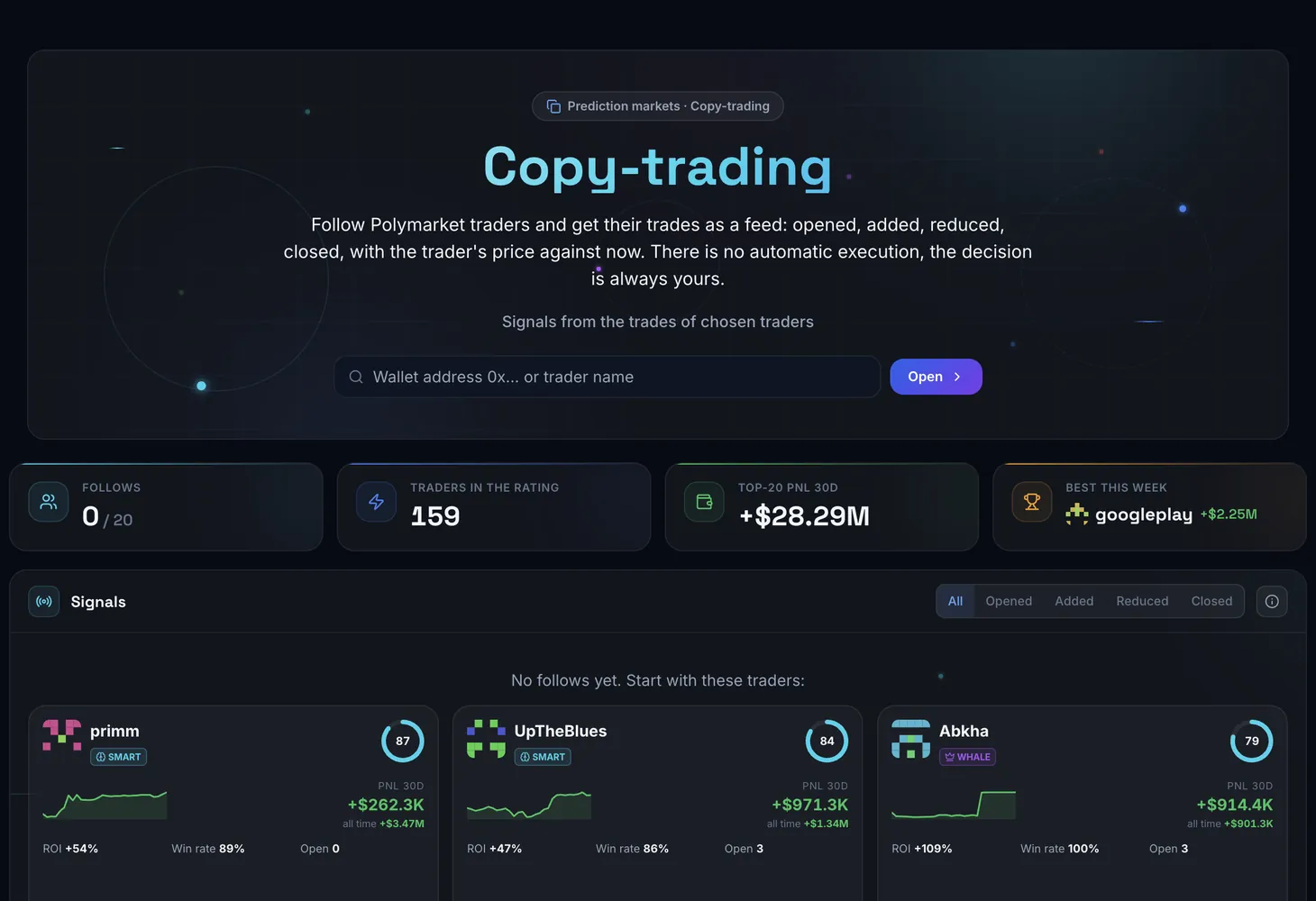
How the screen works
At the top are the Follows and Best this week counters. Below are three blocks, each with a How it works hint.
| Block | What it shows |
|---|---|
| Signals | Trades of the traders you follow, newest first: what happened to the position, market and outcome, trader's price against now, the gap in cents, amount |
| My follows | Cards of your traders: score, a month of PnL as a chart, ROI, win rate, open positions |
| Who to add | Traders with the best score who are not market makers and are not yet in your follows |
One trader's trades in one market within a minute are merged into a single signal, so a series of small orders does not clutter the feed.
Labels in a signal
- Opened, Added, Reduced, Closed — what the trade did to the trader's position.
- trader's price and now — the price the trader got and the market price at the moment.
- better entry or worse entry — whether entering at the current price is cheaper or more expensive than the trader's entry.
- A click on the market opens the order books for your own trade.
Trader card
Tap a card in My follows to flip it: the back shows Details. The Page button opens the full trader page, and Unfollow removes the trader from your follows.
How to choose a trader
The score in Who to add combines win rate, ROI and profit. That is why the list does not repeat the pure-PnL rating, which is often topped by one-off large wins.
To find a specific trader, use search: enter a 42-character wallet address (0x…) or the trader's name and press Open. To add them, press Follow; the button changes to Following.
Traders may carry labels:
| Label | Meaning |
|---|---|
| Whale | A position of $100,000+ or a trade of $50,000+ in 30 days |
| Smart | 20+ settled positions, win rate 60%+, ROI 15%+, profit $50,000+, not a market maker |
| MM | Market maker: maker rebates of $1,000+ and PnL under 2% of turnover |
| New | Account younger than 14 days |
The trader page
The trader page holds the PnL over 30 days, Open positions, Closed positions and Last trades blocks, plus the Portfolio value.
- PnL over 30 days — cumulative PnL by day, realised plus unrealised. Steady growth points to a system, a single step to one lucky market, a saw to high risk.
- Open positions — market and outcome, average entry (Average), current price (Now), PnL in dollars and PnL %, Value, settlement date. This is what can be repeated now.
- Closed positions — the market's result and closing time: you see whether the trader exits at settlement or early.
- Last trades — time, market, side, price, amount and what the trade did to the position. Many Added in a row means the trader builds a position in pieces.
How to use it
Find traders
Open Copy-trading and look at Who to add, or find a trader by address or name.
Check the profile
Press Page and look at the shape of the PnL curve, the closed positions and the market categories where the trader is strong.
Follow
Press Follow. Data for a new wallet is being collected; this usually takes a minute.
Watch the feed
Trades appear in Signals. Compare the trader's price with now and look at the better entry or worse entry label.
Decide yourself
If the trade suits you, click the market, check the order books and place the trade on the platform.
Plans
Following traders is available on the Lite and Pro plans. The number of follows is limited by the plan: when you hit the cap, you will see Follow limit reached. Plan details are on the Pricing page.
To understand traders better, read the Prediction Markets overview and the guide to the Smart Money screen. The basics of these markets are covered in the course lesson on prediction markets.
Questions and answers
Does the service repeat the trader's trades automatically?
No. There is no automatic execution: you get a signal with the trader's price and the current price, and you place the trade yourself.
Why are there no signals in the feed?
Your traders made no trades in the last hours. If a trader has been inactive for long, the follow just takes a slot.
How is Who to add different from a PnL rating?
The score accounts for win rate, ROI and profit and excludes market makers, so traders with a single lucky win do not end up on top.
Can I follow any wallet?
Enter a 42-character address in search. If the wallet is not tracked, you will see Wallet not tracked.